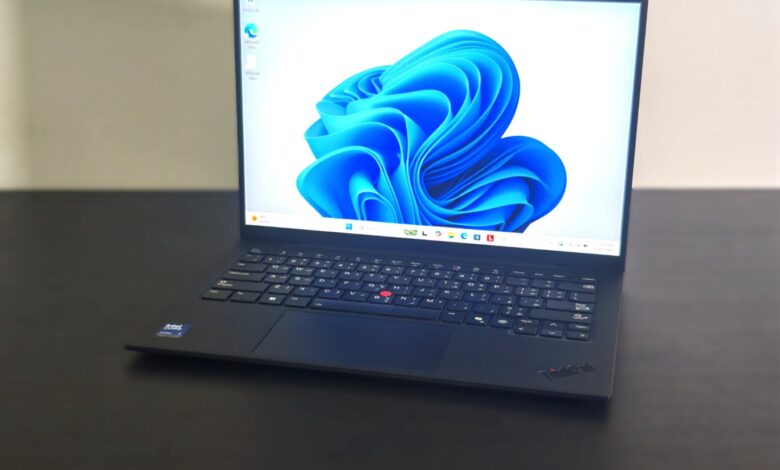
The Lenovo ThinkPad X1 Carbon has long been a staple in the business laptop segment, and the Gen 13 model continues that tradition with meaningful refinements rather than sweeping changes. It combines an ultra-light chassis, Intel’s latest Core Ultra processors, improved battery efficiency, and a premium OLED display into a package designed for professionals who spend more time creating documents, attending meetings, and traveling than rendering videos or playing games.
After spending time with the ThinkPad X1 Carbon Gen 13, it becomes clear that Lenovo has focused on improving the everyday experience. This is a laptop that disappears into your workflow. It starts quickly, remains quiet under load, lasts through a full workday, and offers one of the best keyboards available on any Windows laptop.
Design and Build Quality
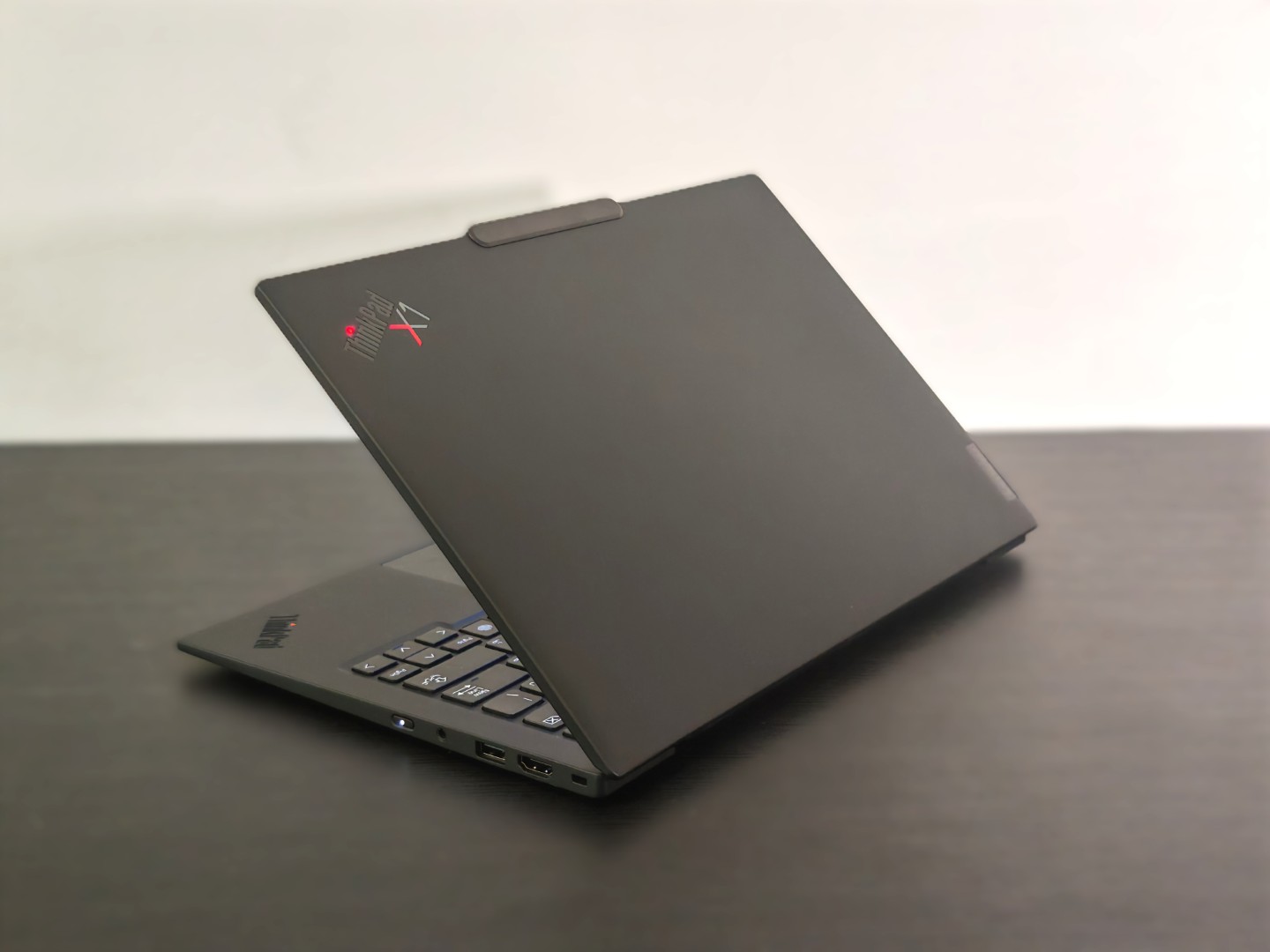
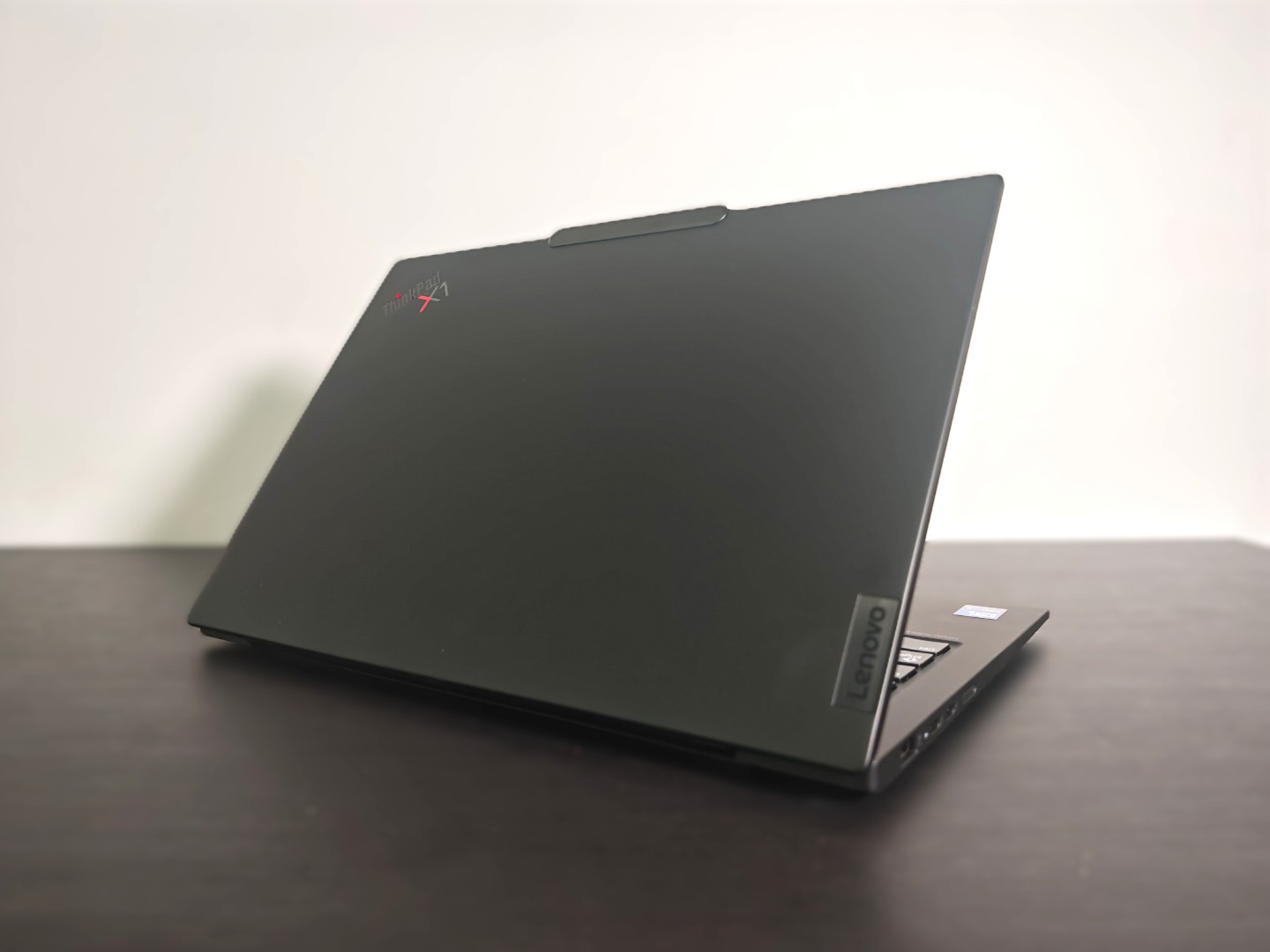
The defining characteristic of the ThinkPad X1 Carbon Gen 13 is its weight. At just under one kilogram, it is remarkably easy to carry throughout the day. Whether moving between meeting rooms, working from cafés, or catching flights, the difference becomes noticeable after several hours compared to heavier 14-inch laptops.
Despite its lightweight construction, the chassis feels exceptionally rigid. Lenovo continues to use a blend of carbon fiber and magnesium alloy, resulting in minimal flex around the keyboard deck or display lid. The soft-touch matte finish gives the laptop a premium feel while resisting fingerprints better than glossy alternatives.
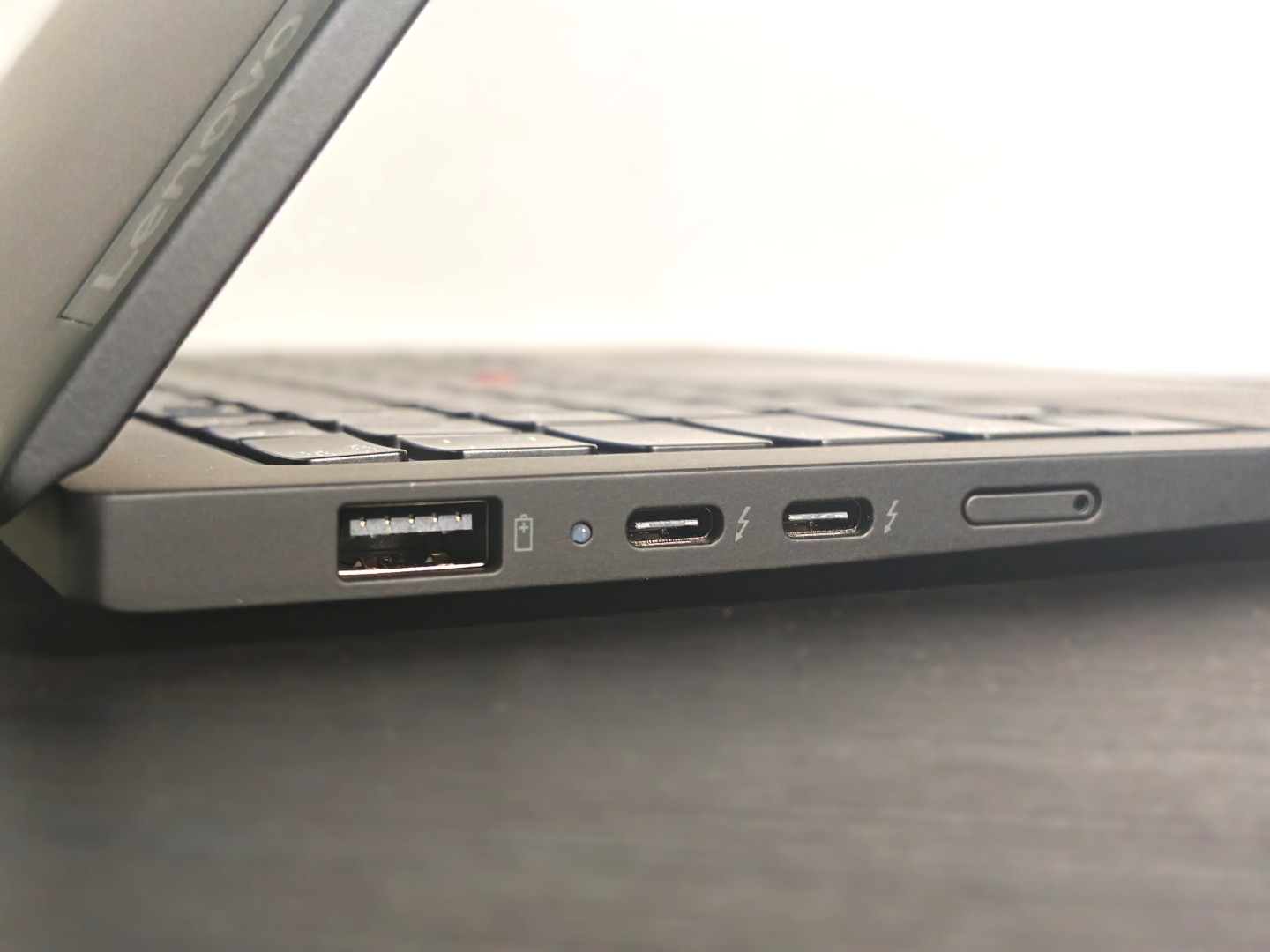
The design remains unmistakably ThinkPad. The understated matte-black finish, illuminated ThinkPad logo, signature red TrackPoint, and minimalist styling make it look professional without drawing unnecessary attention. It also undergoes MIL-STD 810H durability testing, giving confidence that it can withstand frequent travel, temperature changes, vibrations, and the occasional knock during daily commuting.
Display
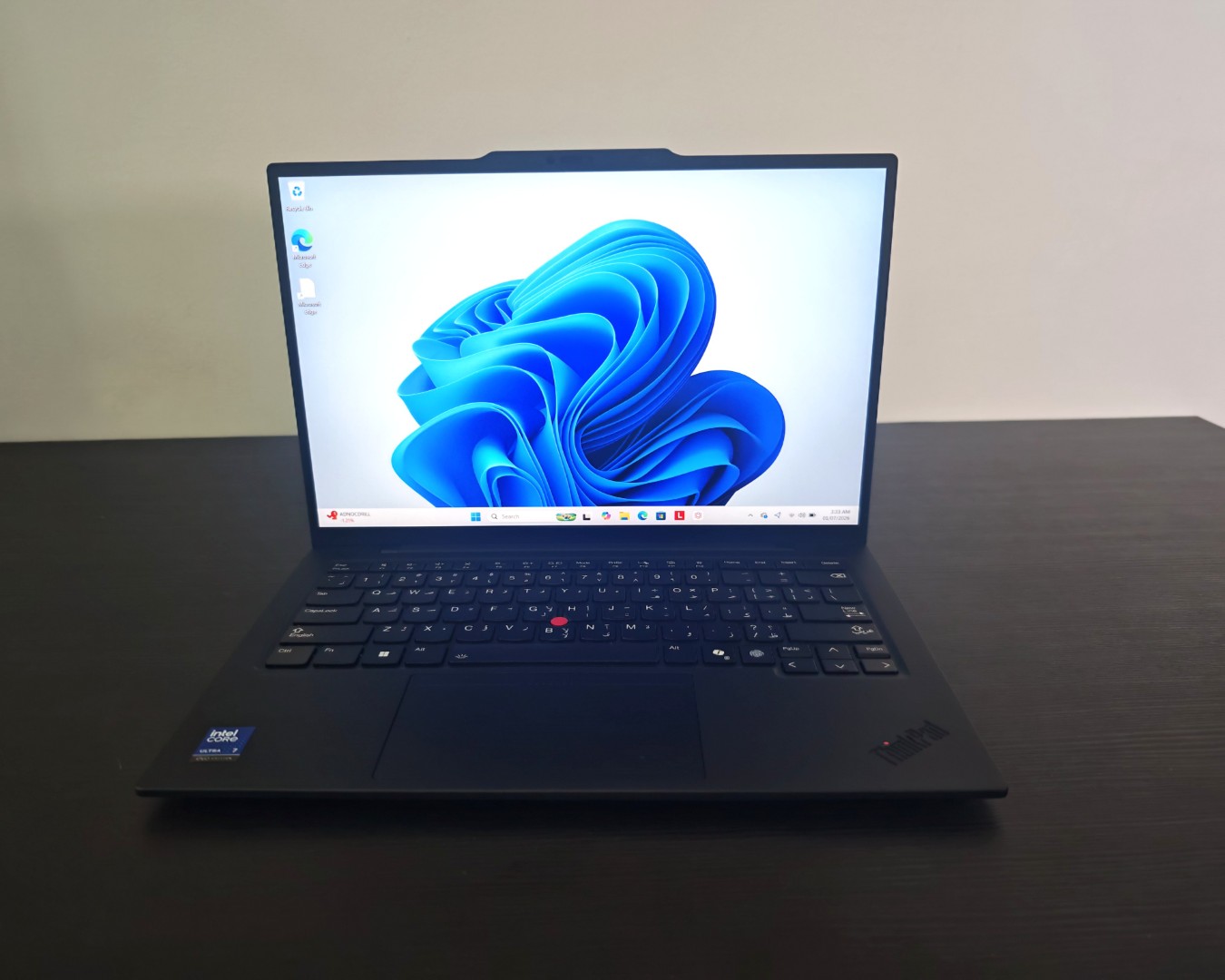
Our review unit featured the 14-inch 2.8K OLED touchscreen with a 120Hz refresh rate, and it proved to be one of the highlights of the laptop.
The OLED panel delivers vibrant colours, excellent contrast, and true blacks that make both productivity applications and entertainment look impressive. Text appears exceptionally crisp, while the higher refresh rate makes scrolling through lengthy spreadsheets, web pages, and documents noticeably smoother.
During everyday use, the display proved comfortable for extended working sessions. Writing articles, editing photographs, reviewing presentations, and watching streaming content all benefited from the excellent colour reproduction and sharpness. The anti-reflective coating also helps reduce glare under office lighting, although direct sunlight still challenges the panel, as expected with most OLED displays.
Keyboard and Touchpad
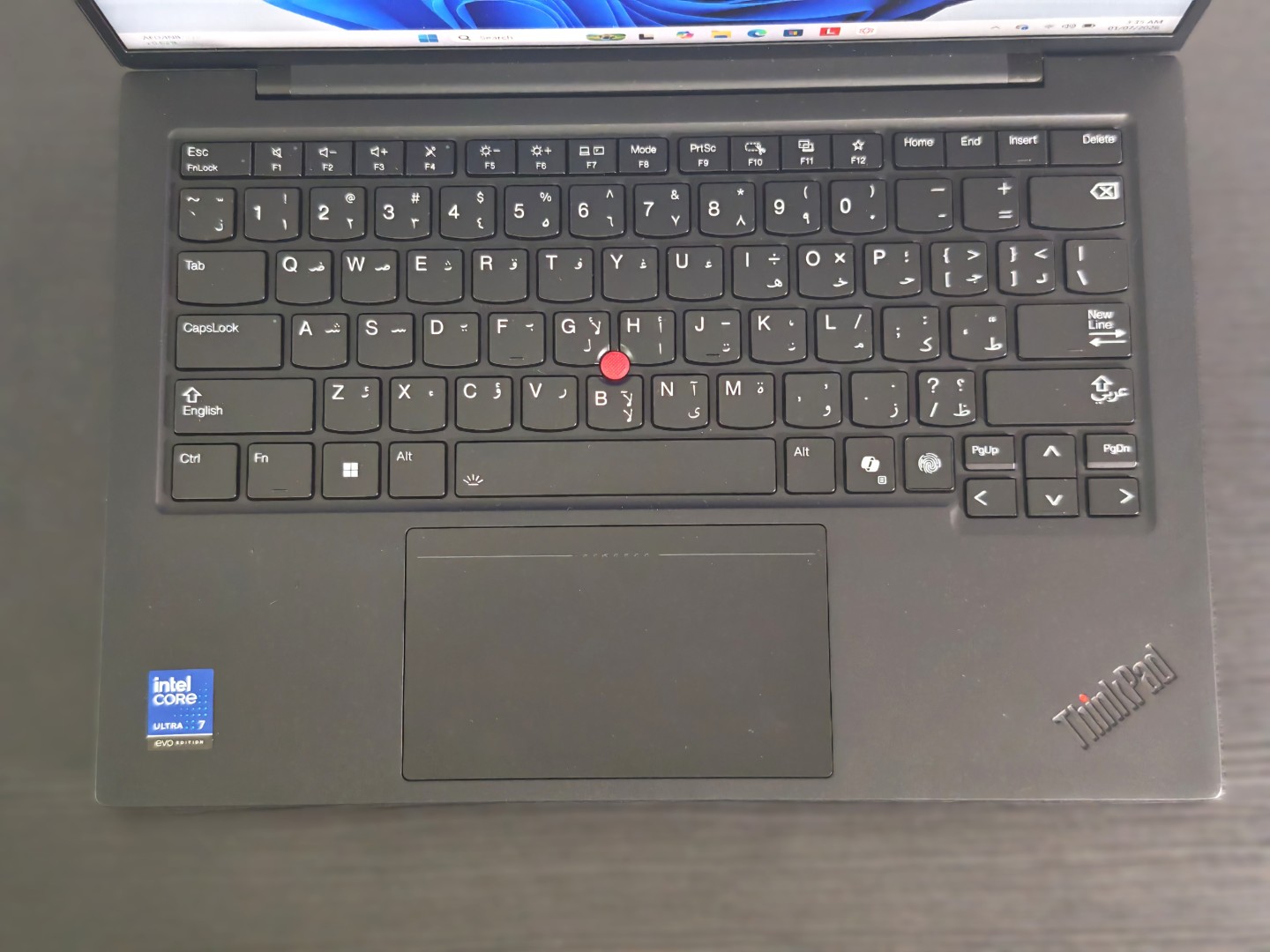
Few laptop keyboards have earned the reputation enjoyed by the ThinkPad series, and the X1 Carbon Gen 13 continues that legacy. The keyboard strikes an excellent balance between key travel and tactile feedback. Every key press feels deliberate, making long typing sessions far less fatiguing than on many ultra-thin laptops.
During testing, typing across several days—including emails, product reviews, and meeting notes—never felt uncomfortable. Finger fatigue remained minimal, and typing accuracy was consistently high even after hours of continuous work.
The iconic TrackPoint remains available for users who prefer navigating without moving their hands away from the keyboard. Meanwhile, the generously sized glass touchpad offers smooth tracking, responsive gestures, and excellent palm rejection, making both input methods equally enjoyable depending on personal preference.
Performance
The ThinkPad X1 Carbon Gen 13 is powered by Intel’s latest Core Ultra processor, paired with Intel Arc integrated graphics and fast LPDDR5X memory. While its focus is productivity rather than workstation-class performance, it delivers a consistently responsive experience across everyday workloads.
In real-world use, the laptop handled a demanding workday without slowing down. A typical session included over 30 Chrome tabs, Microsoft Word, Excel, Slack, Spotify streaming in the background, Adobe Photoshop for occasional image editing, and Microsoft Teams meetings. Even with all these applications running simultaneously, the system remained smooth and responsive.
Application launch times were quick, multitasking felt effortless, and switching between workloads showed no noticeable lag. The integrated Intel Arc graphics also handled light photo editing and basic 4K video trimming without issue, although prolonged rendering naturally takes longer than systems equipped with dedicated graphics.
Throughout testing, the cooling system performed exceptionally well. Under normal productivity workloads, the fans were either completely silent or barely audible. Even during heavier workloads, fan noise remained controlled and never became distracting.
AI Features
The ThinkPad X1 Carbon Gen 13 incorporates Intel’s dedicated Neural Processing Unit (NPU), enabling several AI-assisted features within Windows.
These include background blur during video calls, automatic framing, eye-contact correction, live captions, voice isolation, and AI-powered image creation through supported applications. While these features may not transform everyday computing, they improve remote collaboration and reduce CPU usage by shifting AI workloads to dedicated hardware.
For professionals who spend much of their day in virtual meetings, the enhanced webcam effects and microphone processing noticeably improve communication quality.
Battery Life
Battery life is one of the most impressive aspects of the ThinkPad X1 Carbon Gen 13. During mixed real-world usage consisting of web browsing, Google Docs, Microsoft Office, Teams meetings, email, YouTube streaming, and approximately 70 percent screen brightness, the laptop consistently delivered between 11 and 13 hours on a single charge. This comfortably covered an entire workday without requiring a charger.
For lighter office work involving mainly document editing and browsing, stretching beyond 13 hours proved achievable. More demanding tasks such as prolonged Photoshop editing or extended video conferencing naturally reduced endurance, but the laptop still comfortably exceeded a full working day.
Fast USB-C charging is equally convenient. Around 30 minutes of charging was sufficient to recover several hours of additional productivity, making short charging breaks genuinely useful.
Connectivity
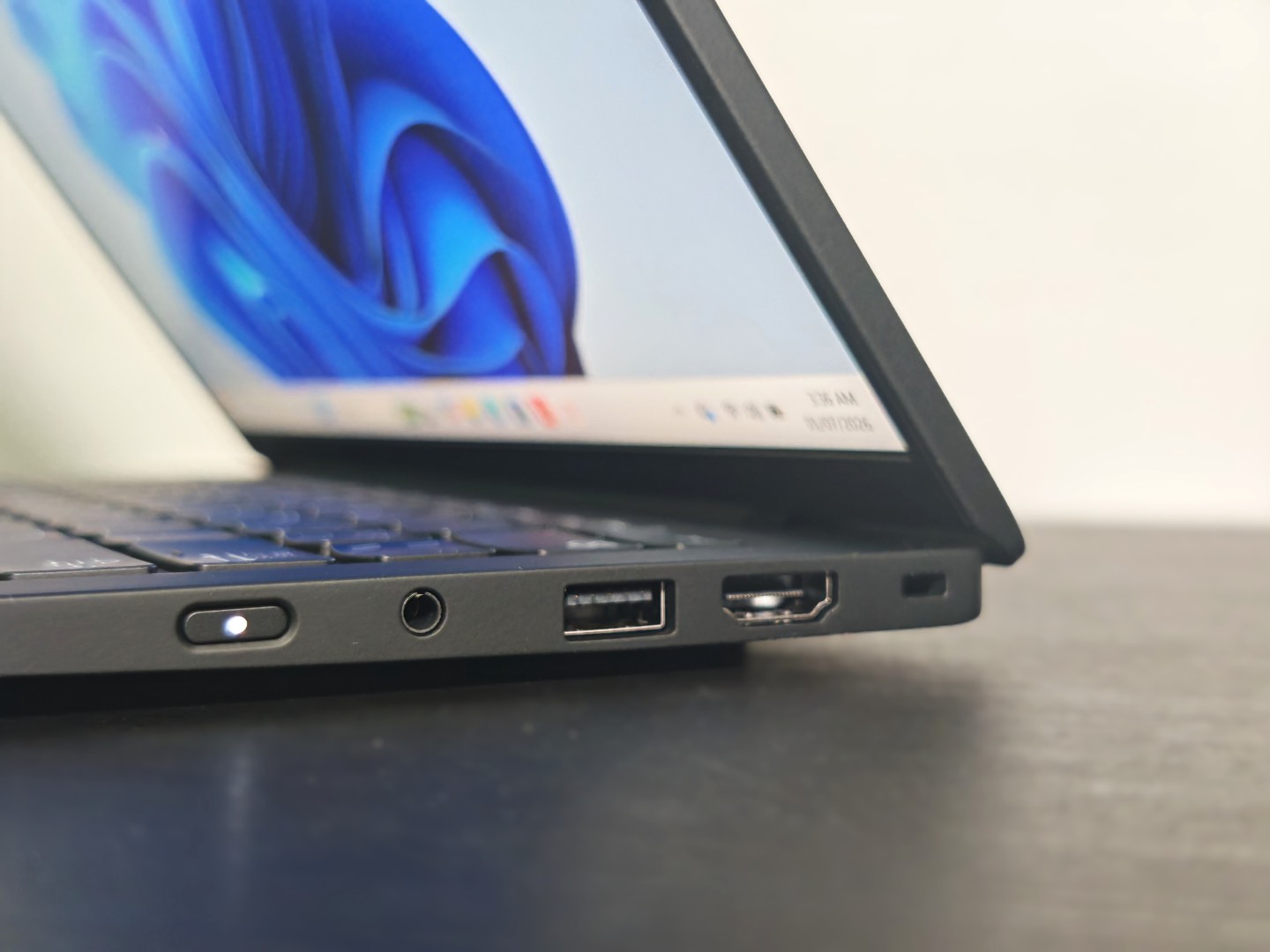
Unlike many ultra-thin laptops that sacrifice connectivity, the ThinkPad X1 Carbon Gen 13 includes a practical selection of ports.
Two Thunderbolt 4 ports support charging, external displays, and high-speed accessories, while two USB-A ports eliminate the need for adapters when connecting legacy peripherals. An HDMI port makes presentations straightforward, and the 3.5mm audio jack remains useful for wired headsets.
Wireless connectivity includes Wi-Fi 7 and Bluetooth 5.4, ensuring fast wireless networking and reliable connections with modern accessories.
Webcam and Audio
The Full HD IR webcam performs well during video conferences, producing sharp images with accurate colour reproduction under good lighting conditions. Windows Hello facial recognition unlocks the laptop almost instantly, making authentication seamless.
The dual microphones capture voices clearly, and AI-powered noise suppression effectively reduces keyboard typing, air-conditioning hum, and surrounding office chatter.
Speaker quality is surprisingly good for such a thin device. Voices are clear during conference calls, while music and streaming content offer enough volume for personal listening. Bass remains naturally limited, but overall sound quality exceeds expectations for an ultra-light business laptop.
Security
Security remains one of the ThinkPad family’s strongest advantages. The X1 Carbon Gen 13 includes a fingerprint reader integrated into the power button, an IR camera for facial recognition, TPM 2.0, ThinkShield security features, BIOS-level protections, and a physical webcam privacy shutter.
For enterprise deployments, optional smart card readers and additional security configurations further strengthen its appeal in corporate environments where data protection is a priority.
Everyday Experience
What makes the ThinkPad X1 Carbon Gen 13 stand out is how little attention it demands. The laptop boots rapidly, wakes instantly from sleep, remains consistently cool during office work, and never feels cumbersome to carry. Its low weight encourages taking it everywhere rather than leaving it behind, while the excellent keyboard makes it equally comfortable for short emails or full-day writing sessions.
Over the course of a typical workweek, it proved equally capable whether connected to an external monitor at a desk or used independently while travelling. Its reliability and consistency become its greatest strengths—qualities that matter more than benchmark numbers for many professionals.
Verdict
The Lenovo ThinkPad X1 Carbon Gen 13 succeeds because it focuses on the fundamentals that professionals rely on every day. It combines outstanding portability, excellent build quality, a superb keyboard, strong battery life, modern AI capabilities, and dependable performance into one exceptionally refined package.
Rather than chasing headline-grabbing specifications, Lenovo has concentrated on delivering a laptop that consistently performs well across real-world business tasks. Whether writing reports, attending meetings, managing large spreadsheets, editing presentations, or working while travelling, the ThinkPad X1 Carbon Gen 13 feels polished, efficient, and dependable.
For professionals seeking a premium Windows laptop built around productivity, mobility, and reliability, the ThinkPad X1 Carbon Gen 13 remains one of the most well-rounded options available. It is a laptop that quietly excels in daily use, making it easy to recommend for users whose priorities revolve around getting work done rather than chasing benchmark numbers.
Price: AED 6750
Lenovo ThinkPad X1 Carbon Gen 13 Aura Edition AED 6750
-
Final Rating
Summary
The design remains unmistakably ThinkPad. The understated matte-black finish, illuminated ThinkPad logo, signature red TrackPoint, and minimalist styling make it look professional without drawing unnecessary attention.