I’ve been skeptical of dual-screen laptops for years. The concept always made sense on paper — double the display, double the productivity — but the execution kept letting the idea down. Bulky. Heavy. Gaps between the panels you could lose a stylus in. The original Zenbook DUO was fascinating. The 2025 model got closer to perfection. This one? This one makes me rethink everything.
Design and Build Quality
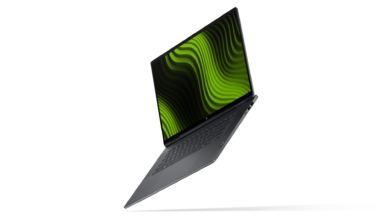
Let’s start with what you notice the moment you pick it up: the chassis material. ASUS is calling it Ceraluminum, and honestly I rolled my eyes when I first heard that name. It sounds like something cooked up in a marketing meeting. But four years of R&D later, the results are legitimately impressive. ASUS has essentially taken aluminum and subjected it to a ceramization process that converts the surface into high-tech ceramic — the same category of material used in aerospace components and luxury watchmaking.

In practice, this means the finish is extraordinarily resistant to scratches. I carried this laptop in a bag alongside keys, a metal pen, and all the other sharp-edged chaos of daily life for days. It came out looking pristine. Not “pretty good for a laptop”, but actually pristine. The texture has a matte, slightly warm quality that also runs cooler to the touch than bare aluminum in my experience.
It weighs in at just 1.35 kg without the keyboard (1.65 kg with it). For a machine with two 14-inch displays, that’s a remarkable achievement. You’re not punishing your shoulder carrying this around.
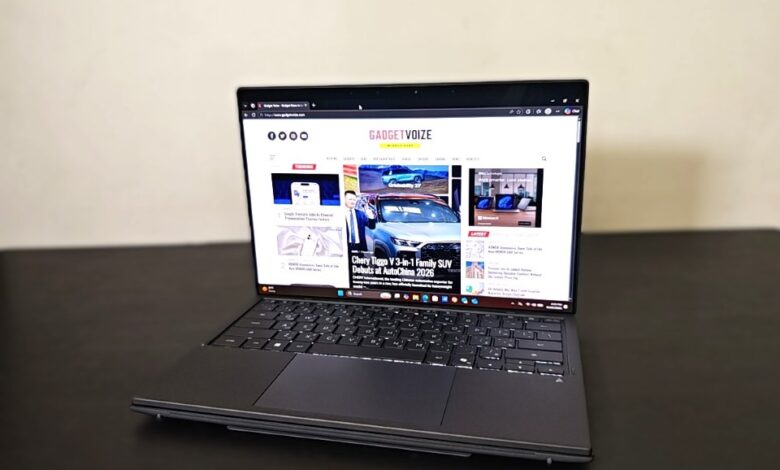
The single biggest complaint about the previous Zenbook DUO was the gap between the two screens. It was noticeable. Distracting. Like watching a movie with a crease down the middle. ASUS has addressed this head-on with a completely redesigned hideaway hinge that reduces that gap by 70% — from 25.31mm down to 7.66mm.

That sounds like a spec sheet number until you sit down and use it. The visual continuity between the top and bottom displays is dramatically better. You stop thinking about the seam. It recedes into the background the same way you stop seeing the notch on a phone after a few days.
The hinge also addressed the wobble problem that plagued earlier models. Both touchscreens feel significantly more stable now, which matters when you’re using them as touch surfaces and don’t want every tap to send the screen oscillating. ASUS tested the hinge to over 40,000 open-close cycles and rated it for 15 kg of load-bearing weight. That’s the kind of engineering that should translate to real-world longevity.
The chassis is also 5% smaller than its predecessor thanks to this redesign. Every bit counts in a machine you actually carry.

Displays
Both screens are 14-inch ASUS Lumina Pro OLED panels at 2880-by-1800 pixels resolution, a 16:10 aspect ratio, and with a 144Hz variable refresh rate. Two of them. These are not cut-rate secondary panels — they are the same spec front to back, and they are stunning.
The numbers: 1,000,000:1 contrast ratio, 1000-nit peak brightness, and an absurd 0.0005-nit black floor. The 100% DCI-P3 color gamut is certified by Pantone and validated by Dolby Vision. TÜV Rhineland certification means the blue light emission is 70% lower than comparable LCD panels. VESA DisplayHDR True Black 1000 rounds out a spec sheet that makes most standalone monitors look pedestrian.
Real-world usage matches the spec sheet, which isn’t always a given. HDR content on these displays is genuinely jaw-dropping — not the washed-out, milky HDR you get on most laptop panels. Blacks are black. Colors are vivid without being oversaturated. If you do any kind of creative work — photography, video, design — having two panels calibrated to this standard is a serious workflow advantage.
The anti-reflection coating deserves a special mention. It reduces glare by 65% and provides a 3.5× ambient contrast ratio enhancement. I tested this in a coffee shop with a large window behind me, a situation that makes most laptop screens unusable. The Zenbook DUO UX8407AA was totally comfortable to work on. The glass is Corning Gorilla Glass throughout — the top panel handles 5 kg of direct pressure and the bottom screen, which endures more abuse from the keyboard, is rated for 15 kg.

Keyboard
The keyboard has been thoroughly reimagined and it shows. The headline spec is a 200% improvement in battery life — up to 52 hours without backlight, or 11.6 hours with it on. The original detachable keyboard needed charging far too often; this one genuinely fades into the background as a concern.
Connectivity is now triple-mode: Bluetooth, Pogo Pin (magnetic snap), or USB-C. That third option matters more than it sounds — if Bluetooth is being flaky, you have a wired fallback that doesn’t require carrying a proprietary dongle.
The typing feel is noticeably better than older versions. The 19.5mm key pitch, 1.7mm travel, and dish-shaped key indentation combine for a feel that’s competitive with standalone desktop keyboards, not just “acceptable for a detachable.” ASUS tested 1 million keystroke cycles on the mechanism. The magnetic pogo pins went through 1 million retraction cycles and 20,000 side-pressure cycles. You can tell — the connection snaps in with confidence and the pins retract cleanly without that soft, uncertain click of cheaper magnetic connectors.
The ErgoSense touchpad has a hydrophobic nanocoating that keeps it smooth and responsive even after extended use. Smart Gestures let you pull up commonly used settings without lifting your hands, which becomes muscle memory faster than you’d expect.

Performance
The processor is Intel Core Ultra X9 388H, one of Intel’s Panther Lake “Series 3” chips with 16 cores (4 P-cores, 8 E-cores, 4 LPE-cores), an Xe3 integrated GPU with 12 compute units, and a fifth-generation NPU rated at 50 TOPS. The platform total reaches 180 TOPS when you combine all the compute engines — that’s solidly in Copilot+ PC territory.
The GPU side of the story is particularly interesting. The Arc B390 integration brings 12 Xe Cores with 16 MB of shared L2 cache — double what Lunar Lake had. That extra cache is one of the reasons the performance leap over the previous generation is so dramatic. ASUS is running this chip at 45W TDP, which is higher than the previous model’s 35W ceiling, enabled by a thermal redesign that increased intake vent size and moved to 97-blade fans with 24% more air exhaust capacity. It’s not a quiet laptop under load — let’s be clear about that — but it sustains its performance target without throttling, which is what matters.
And the results show in the benchmarks. In 3DMark Wild Life Extreme, the 2026 model scored 13,149 versus the 2025 model’s 5,945 — that’s a 121% improvement. For gaming with frame generation enabled, Cyberpunk 2077 at medium settings and 1080p broke 137 fps. This is not your usual integrated graphics story.
The NPU 5 on Panther Lake delivers 50 TOPS on its own — three times over the previous generation. Combined with hardware acceleration for Live Captions, real-time AI video effects, and local LLM processing, the Zenbook DUO UX8407AA is positioned for the Copilot+ PC feature set with plenty of headroom to spare.

Battery
ASUS runs a 99 Wh dual-battery configuration, positioned for balance across the chassis. This is the maximum you can take on a commercial flight (100 Wh is the cutoff), so that’s a design constraint ASUS is maxing out. The claimed runtime is up to 18 hours of video playback with both screens on, or up to 32 hours on a single screen. Real-world numbers clock in at 12 hours of video playback and around 27 hours of single screen use. Having said that, this machine can handle a long haul flight with video and still have battery left.
Fast charging via the included 100W USB-C adapter gets you to 60% in 49 minutes. The laptop supports any PD-certified charger from 5–20V, which means you can top it off from airline seats, portable power banks, or any of the USB-C chargers you already own. ASUS has also extended the battery cycle life from 1,000 to 1,200 cycles through software and hardware management — a meaningful difference for long-term ownership.

Software and Dual Screen Workflow
The hardware is only half the story. What makes or breaks a dual-screen laptop is whether the software actually makes two screens feel like a superpower rather than a problem to manage.
ScreenXpert has grown up considerably. The new Sharing Mode is the headliner: lay the laptop flat to 180° and it auto-detects the position, flips the second screen for the person sitting across from you, and gives you a laser pointer, pen, and eraser. During collaborative sessions I found this genuinely useful — not a gimmick — especially in tight meeting rooms where not everyone can see a projected slide deck.
The gesture system is thoughtful once it’s in muscle memory. Six-finger tap for virtual keyboard. Three-finger tap for touchpad. Five-finger spread to maximize a window. Six-finger swipe down for the utility panel. These feel designed rather than arbitrary — they’re sized to be distinct so you don’t accidentally trigger them.
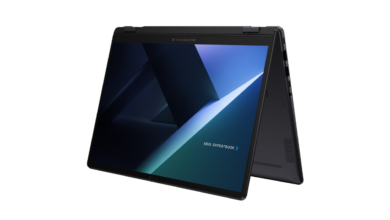
The kickstand adjusts from 40° to 70° in dual-screen mode and props stable at 95° in desktop orientation. Combined with the detachable keyboard, this creates a legitimate desktop-mode experience. I ran it this way for a full work week — laptop as a dual-monitor stand, no external display needed — and it held up.
MyASUS houses system diagnostics, battery care controls, fan profiles (Performance, Standard, Whisper), and the excellent Link to MyASUS feature that bridges your phone to the laptop for file transfer, shared camera, calls, and remote access. StoryCube handles AI-powered photo and video management with face recognition and automatic highlight video generation. These are genuinely useful additions rather than bloatware padding out a feature list.

Connectivity and Audio
Ports: two Thunderbolt 4 USB-C (40 Gbps, DisplayPort, Power Delivery), one full-size HDMI 2.1 (FRL), one USB 3.2 Gen 2 Type-A, and a 3.5mm combo audio jack. That’s a sensible selection — you’re not going to be hunting for an adapter for common scenarios, and the two Thunderbolt ports give you flexibility for docks and external displays simultaneously.
Wi-Fi 7 with 320 MHz channel support brings a theoretical ceiling of 5.8 Gbps — 4.8× faster than Wi-Fi 6. ASUS’s SmartConnect automatically picks the best available access point and remembers preferred hotspots. Whether Wi-Fi 7’s full speed advantage materializes depends entirely on your router, but forward compatibility is always worth having. Bluetooth 5.4 rounds it out.
The six-speaker system — two tweeters, four woofers — sounds better than you’d expect from a laptop this thin. Dolby Atmos support and the ASUS smart amplifier, which boosts max volume 3.5× without distorting the voice coils, make this a legitimately good audio machine for presentations, casual video watching, and video calls.

Verdict
The 2026 Zenbook DUO UX8407AA is the version of this machine that always felt like it was coming. Ceraluminum makes it feel expensive in a way that holds up to scrutiny. The narrowed hinge gap crosses a threshold where the dual-screen concept finally delivers on its promise without the immersion constantly breaking. The Intel Arc B390 integrated graphics are a legitimately surprising performer — this is not the “for light tasks only” integrated GPU of years past. And the 99 Wh battery means you can actually use both screens all day without hunting for an outlet.
In the UAE, ASUS is offering the Zenbook Duo in two key configurations. The UX8407AA-SN062W starts at AED 9,599, featuring an Intel Core Ultra 7 Processor 355, Intel Graphics, 1TB SSD, and dual 14-inch 3K OLED touchscreens. The higher-end UX8407AA-SN066W starts at AED 10,799, bringing an Intel Core Ultra X9 Processor 388H, Intel Arc Graphics, and a larger 2TB SSD. The overall package is strengthened further with ASUS Perfect Warranty, ASUS Registration, Goodnotes, and cloud storage, adding useful ownership value beyond the laptop itself. So, who is this for?

Creators, presenters, and power multitaskers who want one machine that genuinely replaces a laptop-plus-external-monitor setup. Researchers who live in reference materials on one screen while writing on another. Anyone who’s ever wished they could share a laptop screen across a table without everyone crowding around one side. The Zenbook DUO UX8407AA 2026 makes a compelling case that two screens in one laptop isn’t just possible — it’s preferable.
Price: AED 9,599 onwards
ASUS Zenbook DUO UX8407AA 2026 AED 9,599 onwards
-
Final Rating
Summary
The 2026 Zenbook DUO UX8407AA is the version of this machine that always felt like it was coming. Ceraluminum makes it feel expensive in a way that holds up to scrutiny. The narrowed hinge gap crosses a threshold where the dual-screen concept finally delivers on its promise without the immersion constantly breaking.