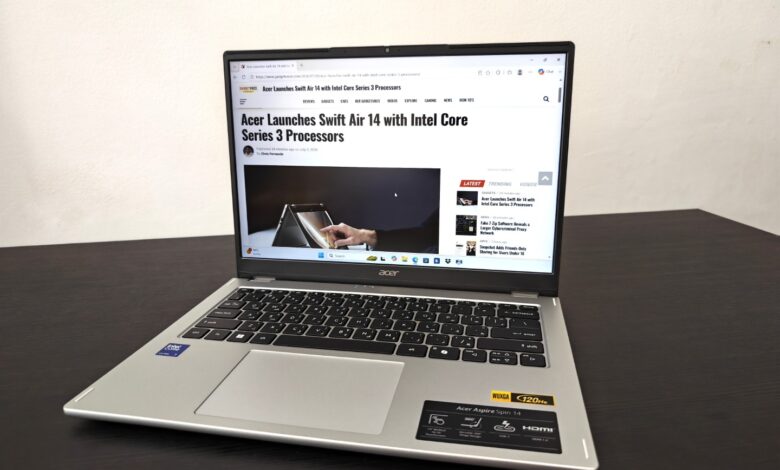
The convertible laptop market has become increasingly crowded, but Acer continues to focus on what matters most—delivering practical features without driving up the price. The Aspire Spin 14 (ASP14-51T) isn’t trying to compete with premium flagship convertibles costing twice as much. Instead, it targets people who want one device that can comfortably handle work, study and entertainment while offering the flexibility of a tablet when needed.
With its 360-degree hinge, 14-inch touchscreen, Intel Core processors and optional Acer Active Stylus support, the Aspire Spin 14 promises versatility without unnecessary complexity. After using it as a daily productivity machine, it became evident that Acer has concentrated on refining the everyday experience rather than chasing benchmark records. And for most people, that’s exactly the right approach.
Design and Build Quality
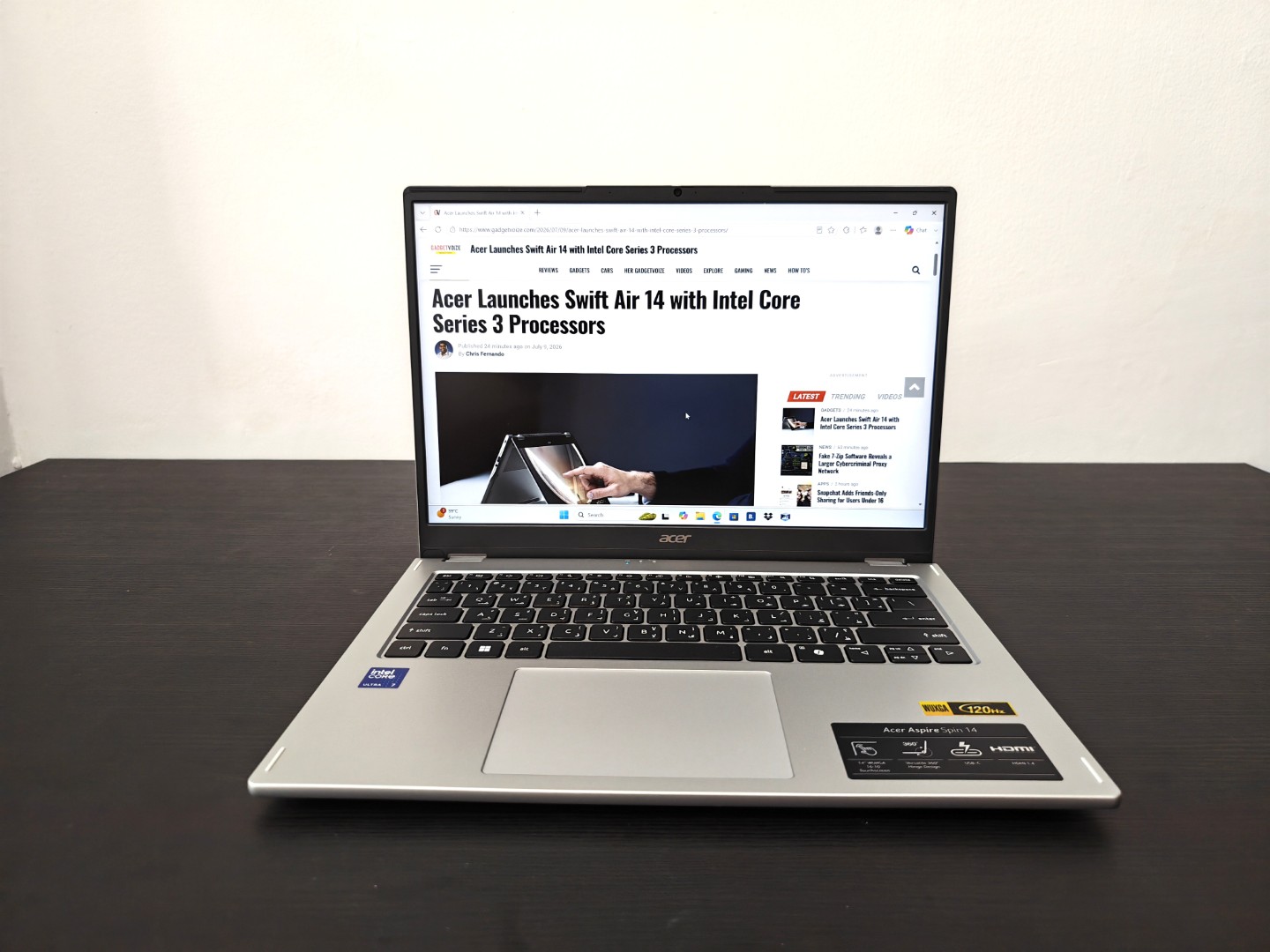
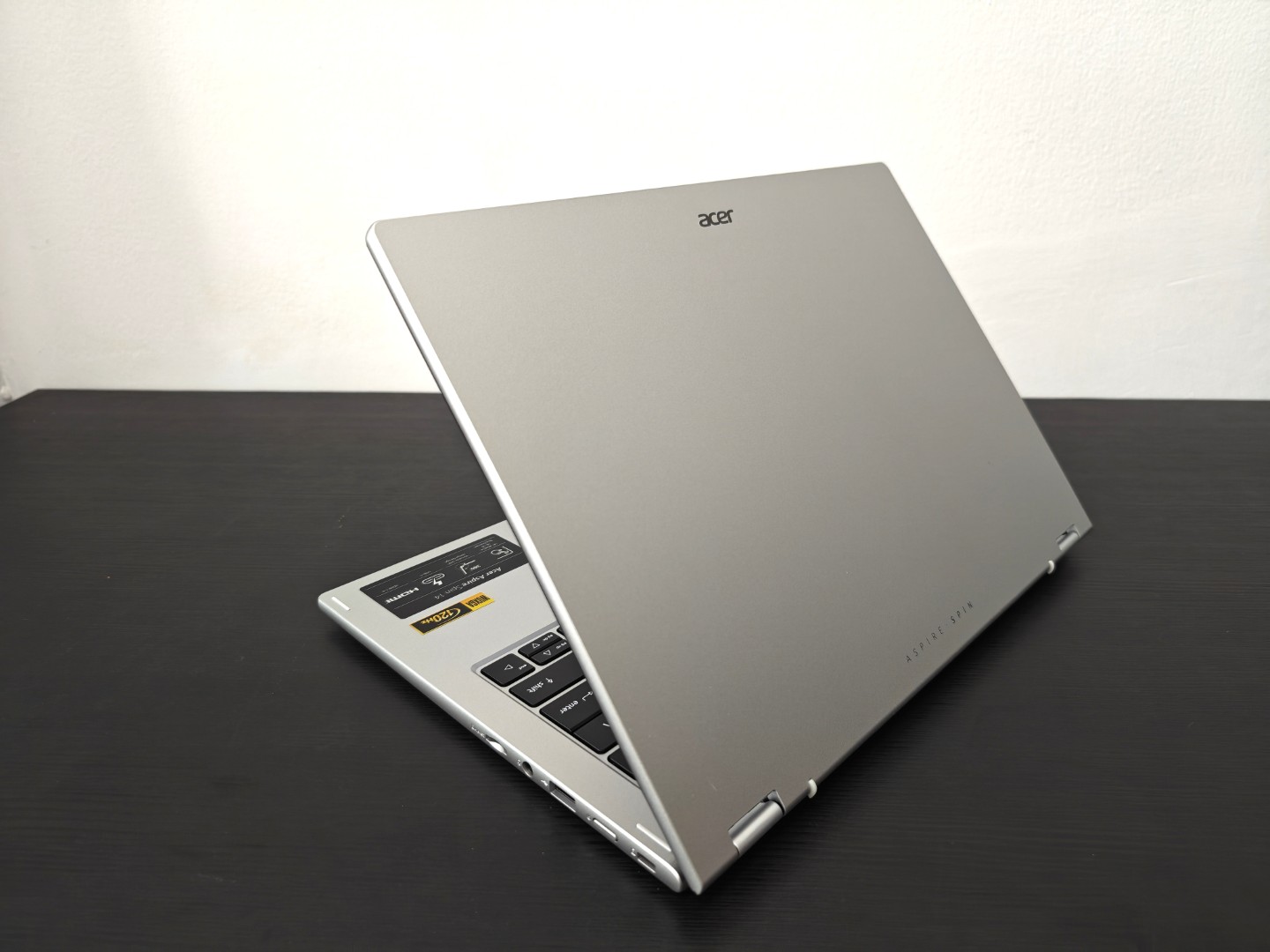
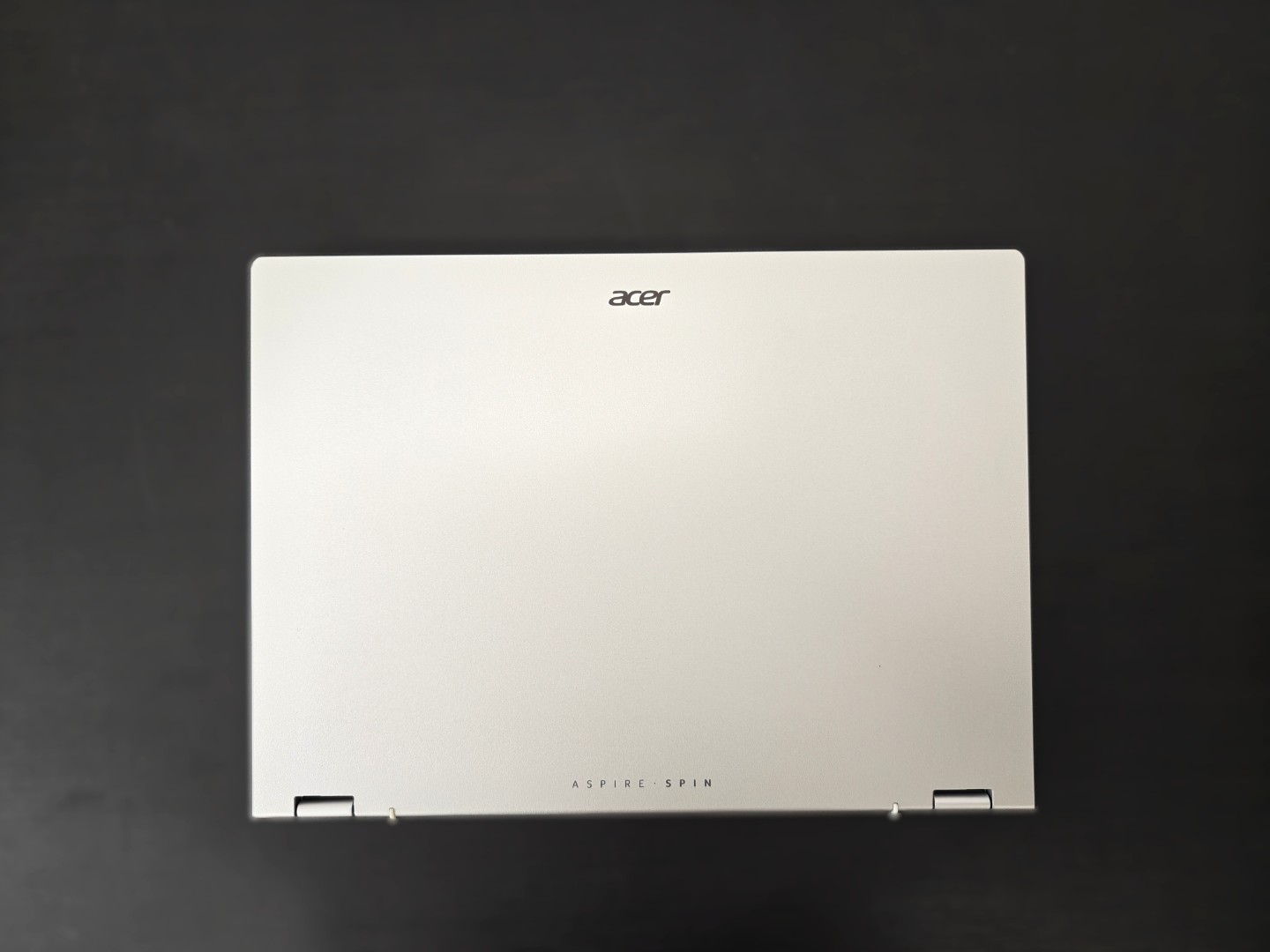
The first thing you’ll notice is that the Aspire Spin 14 feels far more premium than its price suggests. The aluminium lid adds a touch of sophistication, while the rest of the chassis feels well put together with minimal flex. It doesn’t scream for attention, but it looks professional enough whether you’re carrying it into a boardroom, lecture hall or your favourite café.
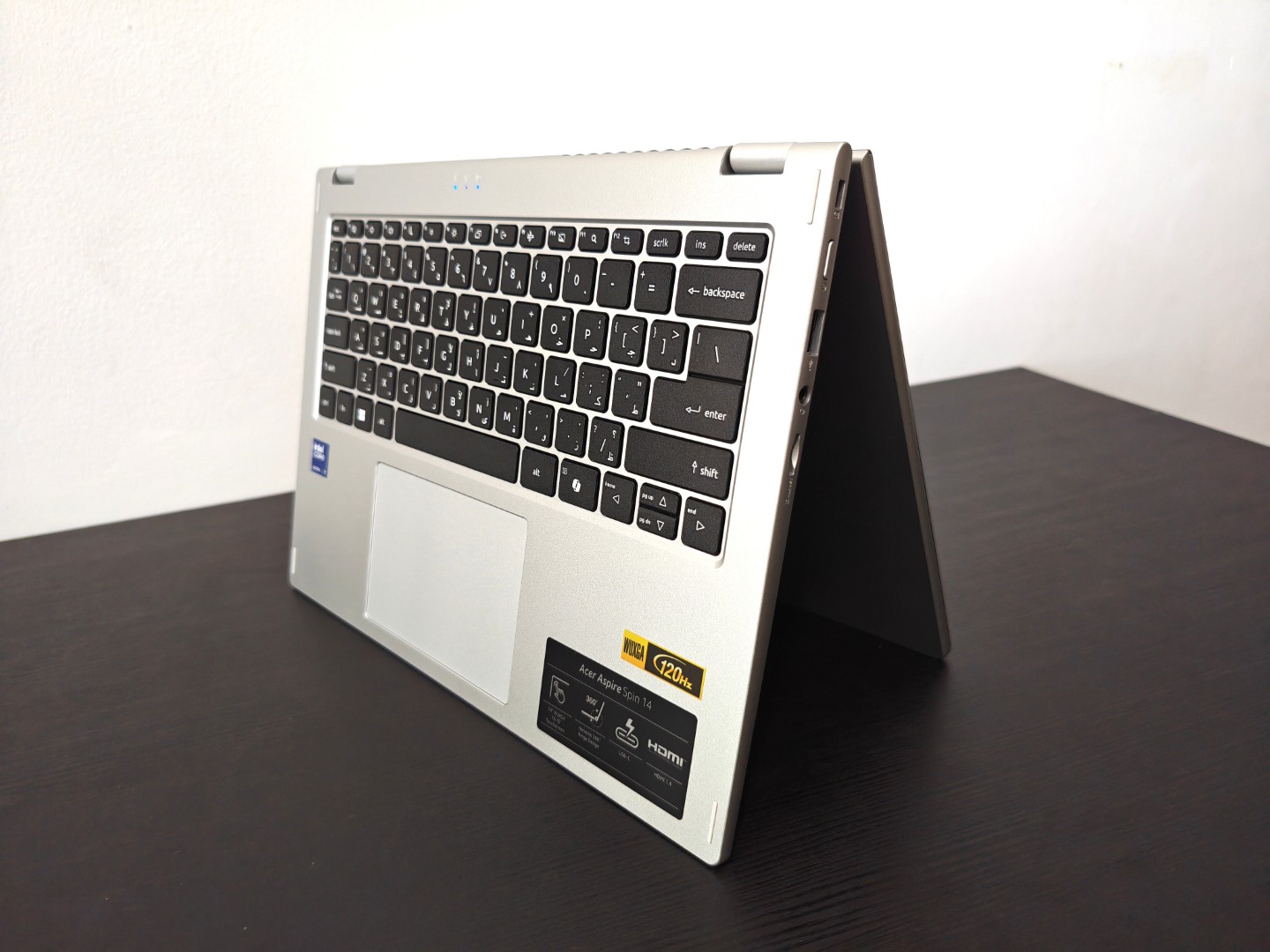
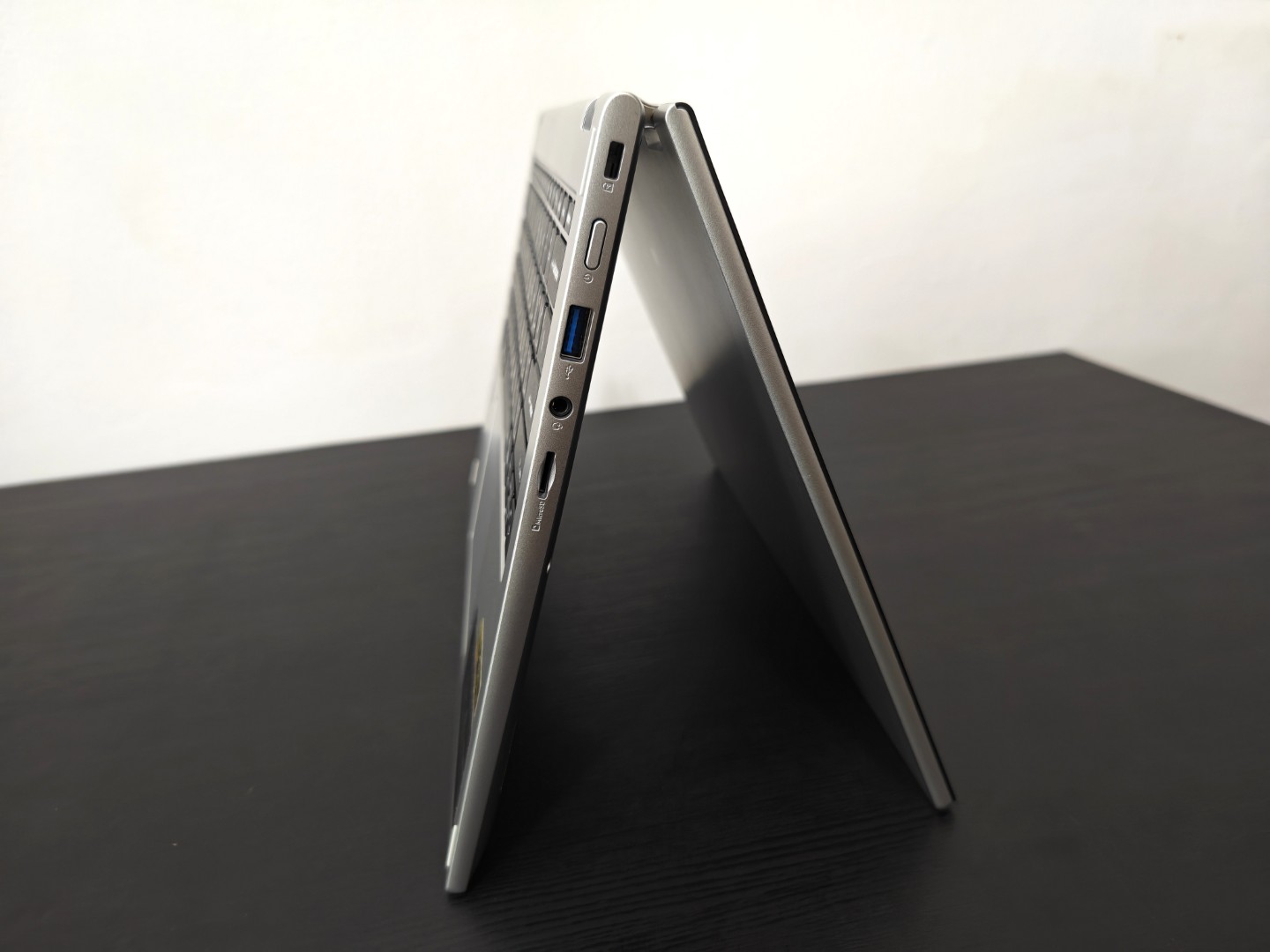
The star of the show is undoubtedly the 360-degree hinge. Acer has done an excellent job here. The hinge feels reassuringly firm without requiring excessive force, allowing smooth transitions between Laptop, Tent, Stand and Tablet modes. More importantly, there’s very little display wobble, something that still plagues many affordable convertibles.
At approximately 1.6kg, it’s certainly not the lightest 14-inch convertible on the market, but it’s still portable enough to carry around all day without becoming a burden. The slightly heavier chassis actually contributes to the overall feeling of durability, which inspires confidence during daily commuting.
Display
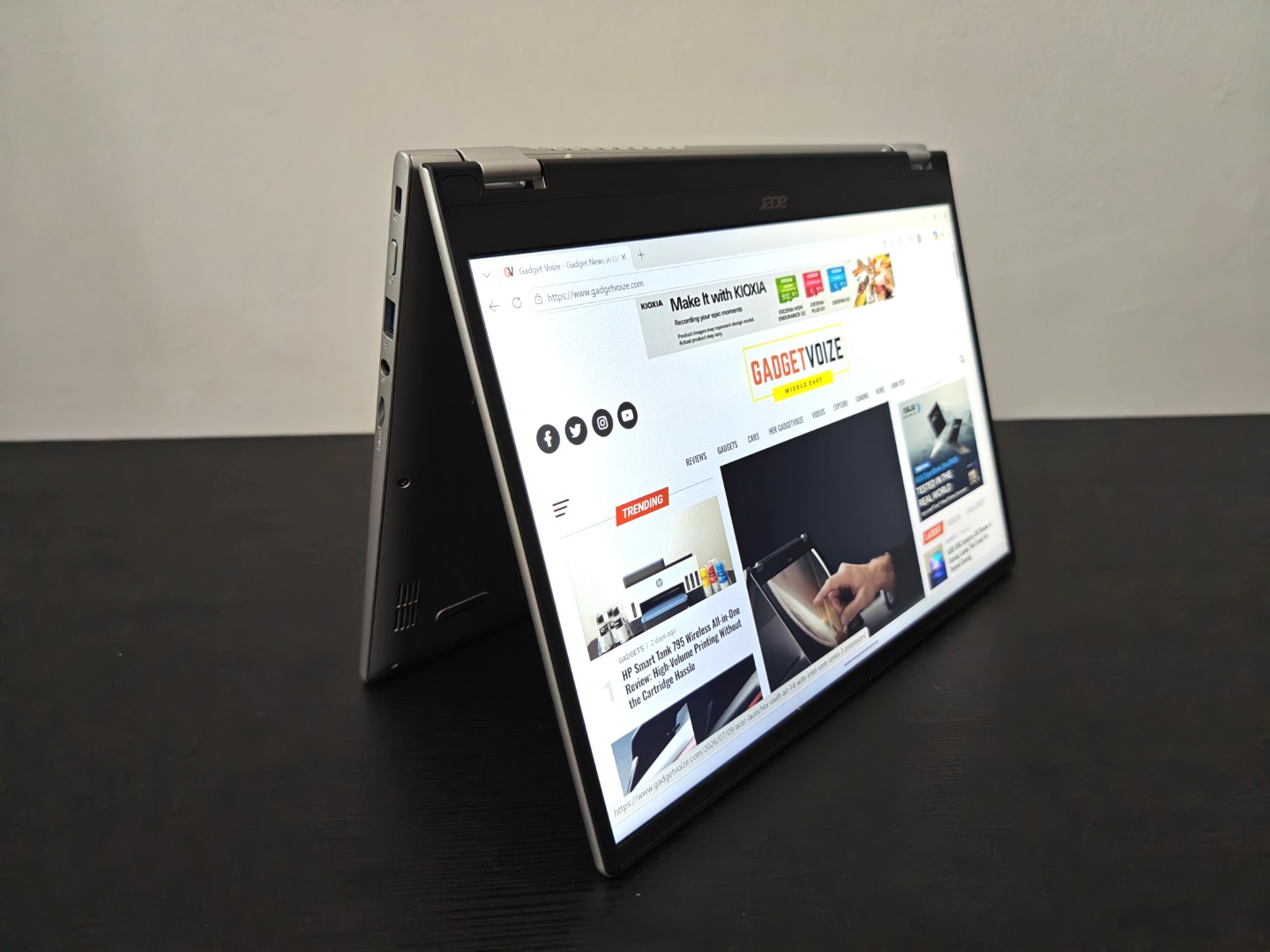
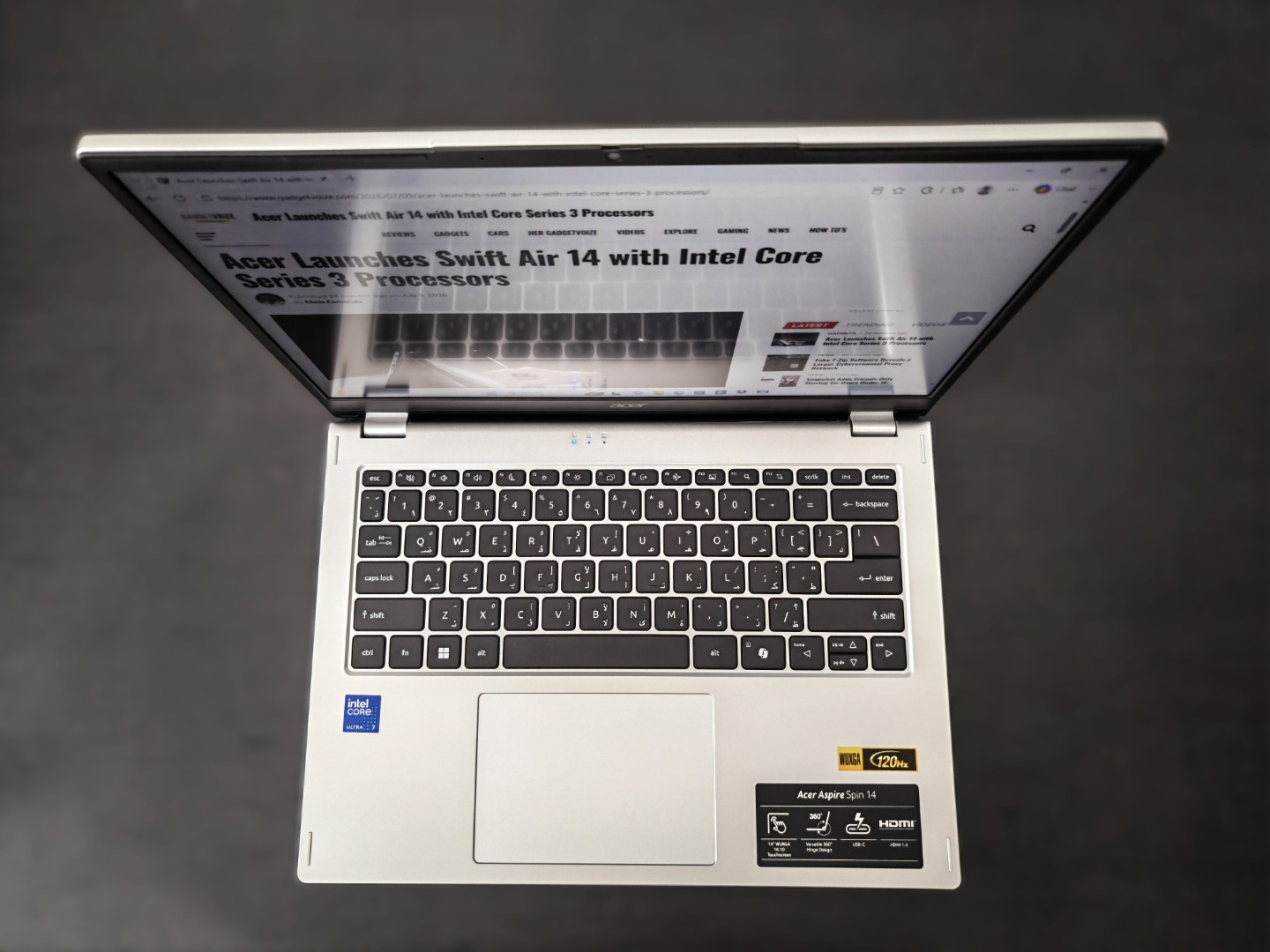
Acer has equipped the Aspire Spin 14 with a 14-inch IPS touchscreen featuring a 1920-by-1200 pixels resolution and a productivity-friendly 16:10 aspect ratio. Once you’ve spent time working on a 16:10 display, going back to a standard 16:9 panel feels restrictive. The extra vertical space makes a surprising difference when reading documents, browsing websites or working with spreadsheets.
The touchscreen is responsive, accurate and works exactly as expected. Whether you’re scrolling through web pages, zooming into documents or navigating Windows with your fingers, interactions feel natural and fluid. Image quality is perfectly respectable for its intended audience. Text remains crisp, viewing angles are excellent and brightness of around 350 nits is more than sufficient indoors. Outdoors, however, reflections become more noticeable, especially under direct sunlight.
Where the display falls short is colour reproduction. Covering roughly 58% of the sRGB colour gamut, it simply isn’t designed for professional photographers or video editors who require colour accuracy. If your workflow revolves around Adobe Lightroom or DaVinci Resolve, you’ll probably want to connect an external monitor. But for productivity, Netflix, YouTube and general browsing, the display is more than capable.
Keyboard and Touchpad
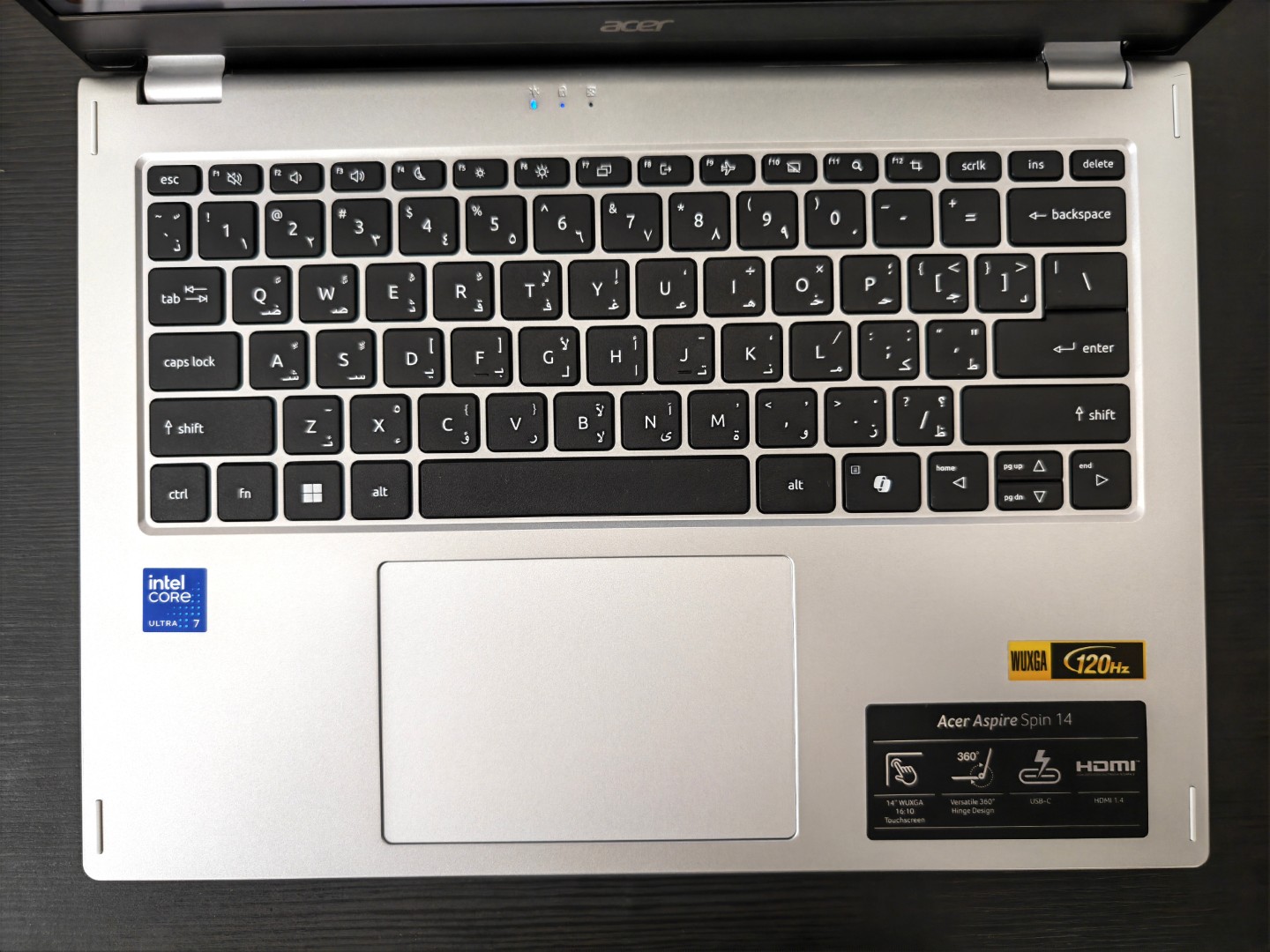
A good keyboard can make or break a laptop, especially if you spend hours typing every day, and thankfully Acer gets this right. The keys offer satisfying travel with a tactile response that feels comfortable during long writing sessions. There’s enough feedback to make typing enjoyable without feeling overly stiff, while the white backlighting makes working late into the evening effortless.
The large Precision touchpad is equally impressive. Tracking is smooth, Windows gestures register instantly and palm rejection works reliably. It’s one of those components you barely notice—which is exactly how a good touchpad should be.
Tablet Experience
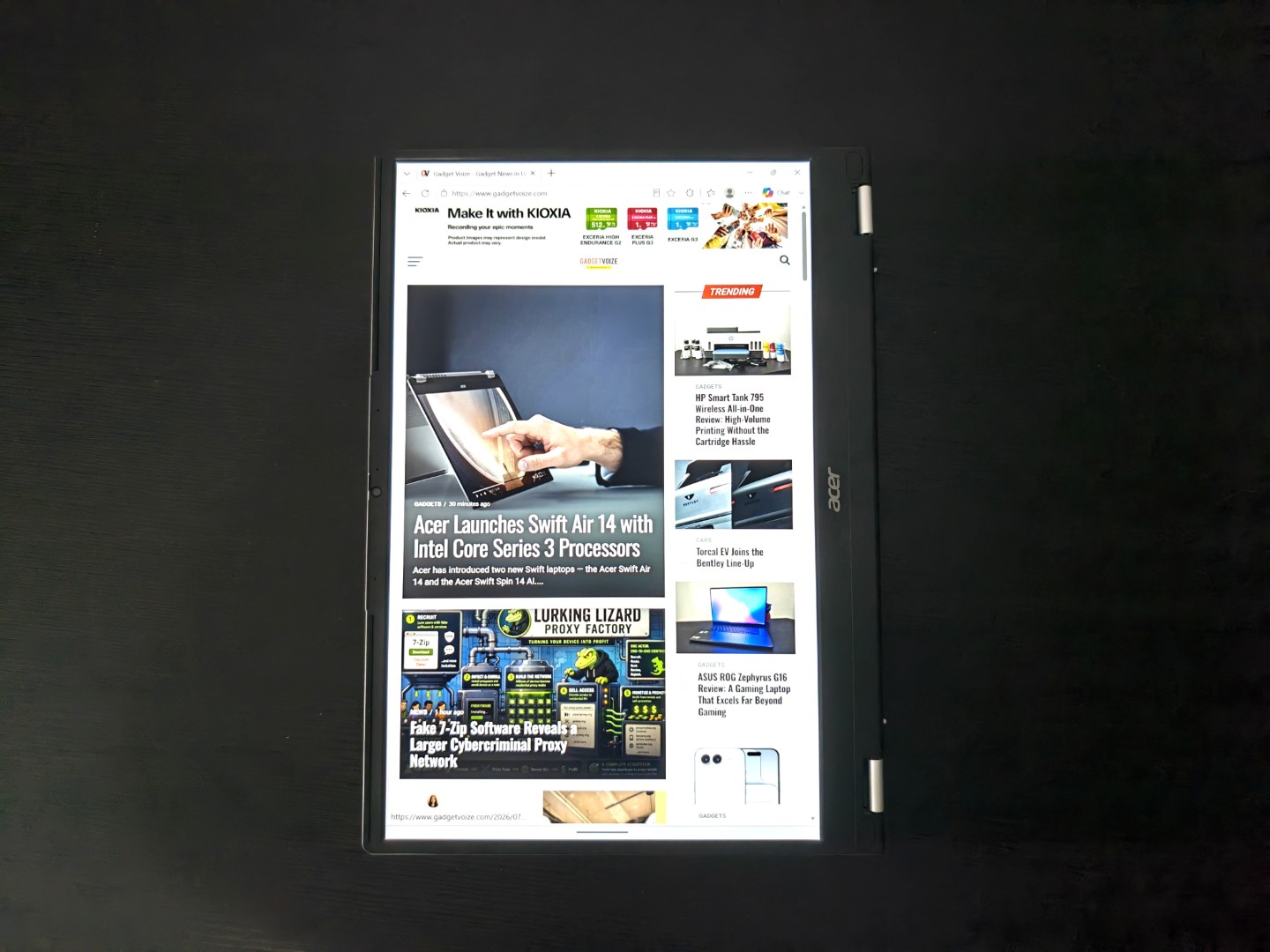
This is where the Aspire Spin 14 starts to separate itself from a conventional laptop. Being able to fold the display completely backwards transforms how you interact with the device. Tablet mode works seamlessly, and Windows automatically adjusts the interface without any manual intervention.
Pair it with the optional Acer Active Stylus and it becomes an excellent tool for annotating PDFs, signing documents, taking handwritten notes during meetings or sketching ideas. It’s especially useful if your workflow regularly involves mark-ups or brainstorming sessions.
That said, at 1.6kg, you probably won’t want to hold it in one hand for extended periods like a tablet. It’s much better suited for resting on a desk, table or your lap while benefiting from the flexibility that the convertible design provides.
Performance
The Aspire Spin 14 is available with Intel Core 3, Core 5 and Core 7 processors, giving you several performance options depending on your budget. My review unit focused squarely on productivity, and that’s exactly where this laptop shines.
In day-to-day use, performance feels consistently smooth. Whether you’re juggling Outlook, Teams, Slack, Microsoft Office, Spotify and a browser full of tabs, the system remains responsive without feeling overwhelmed. I regularly had more than 20 Chrome tabs open alongside Teams, Word, Excel, Photoshop and several messaging applications, and the laptop never felt sluggish. It simply handled the workload without complaint.
AI Features
Like many modern Intel-powered laptops, selected Aspire Spin 14 configurations include a dedicated Neural Processing Unit (NPU). This enables Windows Studio Effects such as background blur, automatic framing and eye contact correction during video calls while consuming less power than relying solely on the CPU.
These AI features genuinely improve video conferencing, particularly if you’re frequently attending online meetings. They’re useful additions rather than gimmicks.
Storage and Connectivity
Fast storage makes a bigger difference than many people realise, and the PCIe NVMe SSD keeps everything feeling responsive. Windows boots in seconds, applications launch quickly and waking from sleep is almost instantaneous.
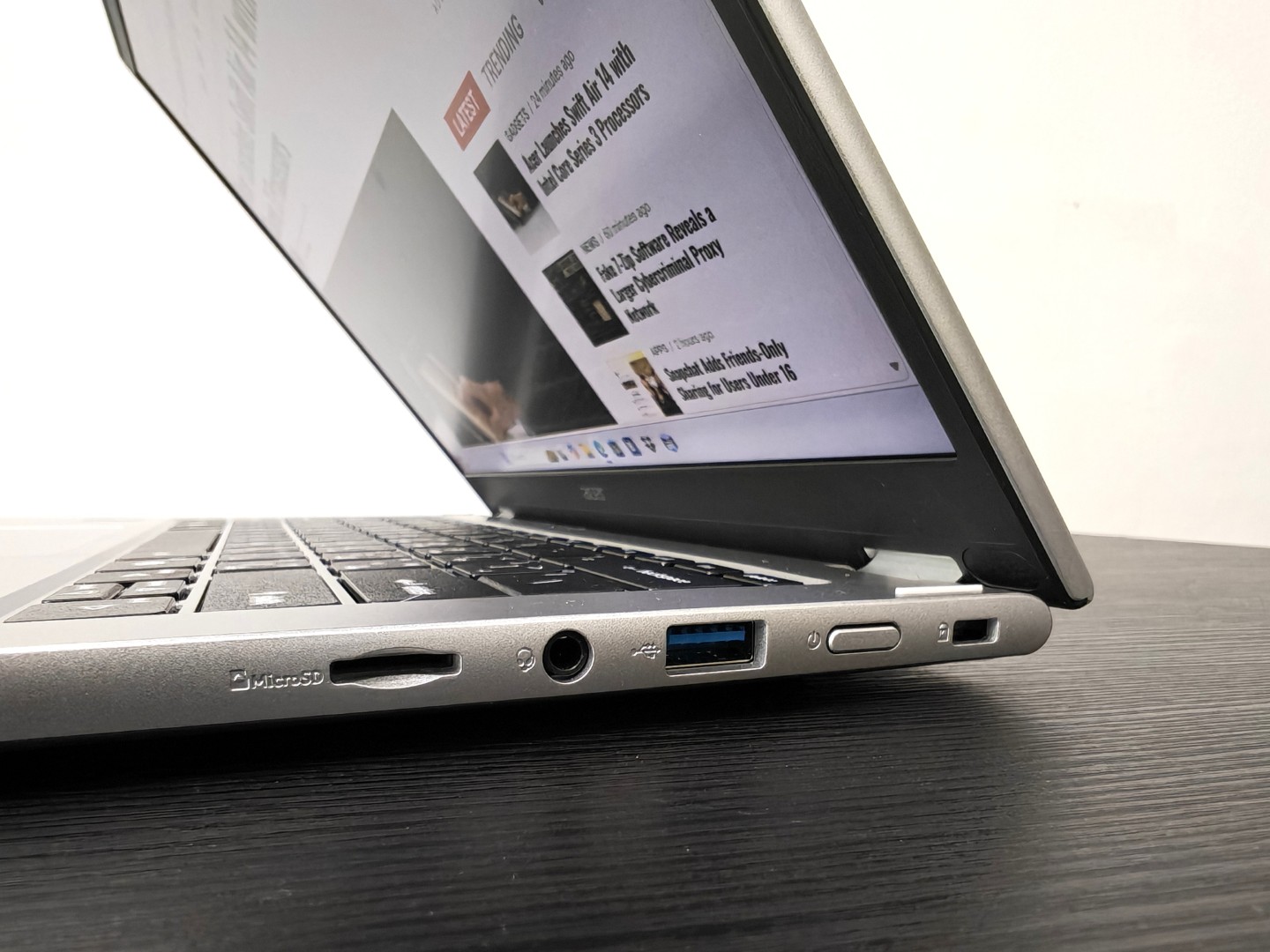
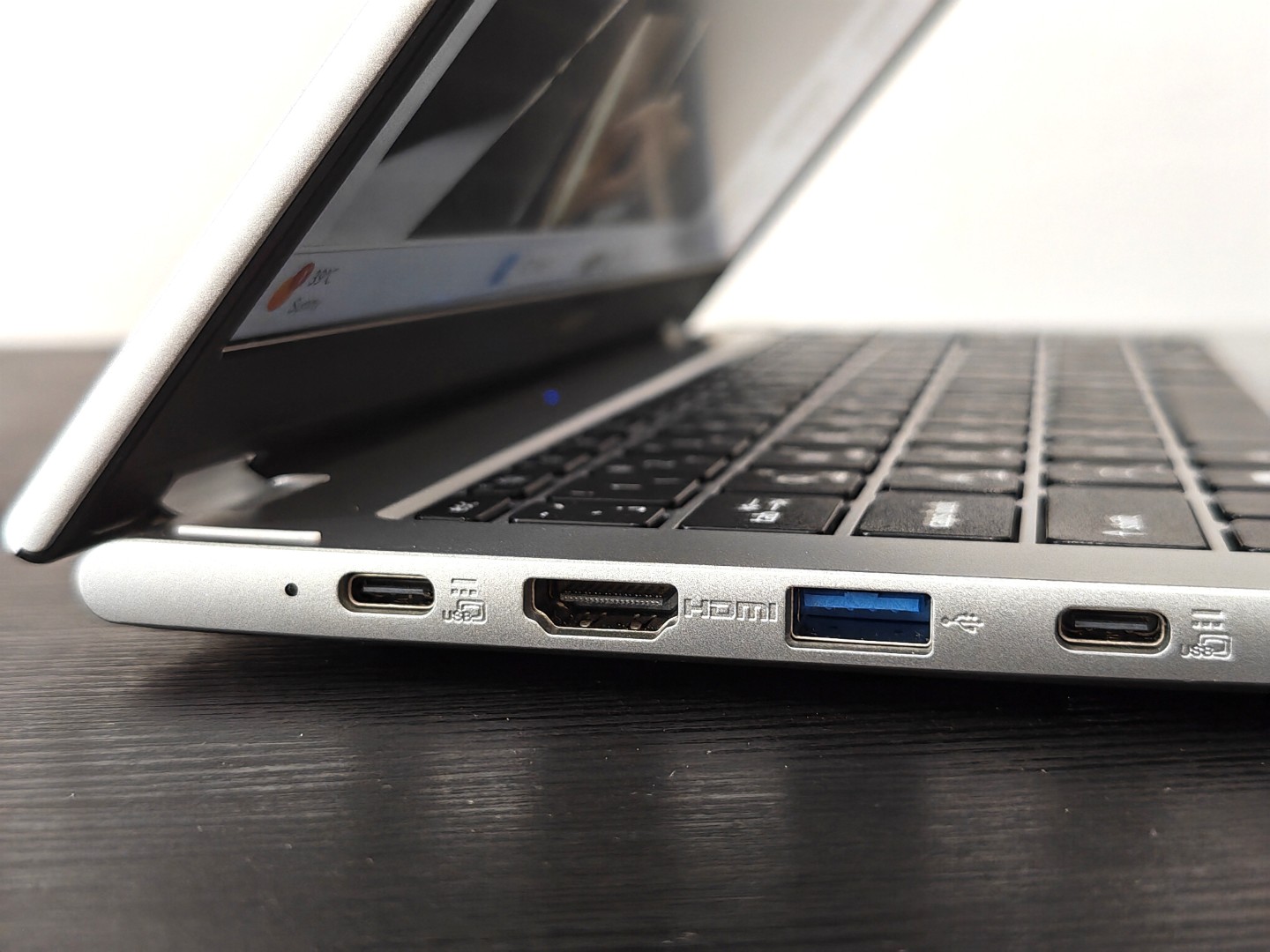
Connectivity is another area where Acer deserves praise. You get Thunderbolt 4 over USB-C alongside USB-A ports, HDMI and a headphone jack. That means you can connect external displays, storage devices and accessories without immediately reaching for a USB hub.
Wireless performance is equally dependable, maintaining stable Wi-Fi connections even during lengthy Teams meetings and large cloud downloads.
Audio and Webcam
The stereo speakers deliver clean, clear dialogue that works well for meetings, YouTube and casual streaming. Bass is understandably limited, but voices remain crisp and easy to understand.
The Full HD webcam is another welcome upgrade. Video quality is noticeably sharper than the ageing 720p cameras still found in many laptops, and when combined with Windows Studio Effects, online meetings look significantly more professional.
If remote work forms a major part of your routine, you’ll appreciate the improvements here.
Battery Life
Battery life lands firmly in the “comfortably gets you through the working day” category. The 53Wh battery consistently delivers between eight and ten hours during mixed workloads involving web browsing, Office applications, email and streaming.
Naturally, heavier workloads involving photo editing or prolonged video exports reduce endurance, but for typical productivity tasks you shouldn’t find yourself desperately searching for a charger halfway through the day. USB-C Power Delivery is another welcome inclusion, allowing you to carry a single charger for both your laptop and smartphone.
Thermals and Noise
Acer has done a commendable job balancing performance with acoustics. During typical office work, the cooling system remains remarkably quiet, often becoming virtually inaudible. Push the processor harder with sustained rendering or benchmarking, and the fans naturally become more noticeable, but they never reach irritating levels.
Surface temperatures also remain well controlled, with the keyboard deck staying comfortable even after extended workloads.
Verdict
The Aspire Spin 14 doesn’t try to reinvent the convertible laptop. Instead, it focuses on refining the features that matter most. It offers solid build quality, a dependable keyboard, a responsive touchscreen, respectable battery life and enough performance to comfortably tackle everyday productivity without unnecessary compromises.
The 360-degree hinge remains genuinely useful rather than feeling like a marketing feature, while Thunderbolt 4 connectivity and optional stylus support add meaningful versatility. Acer has produced a thoughtfully balanced 2-in-1 that delivers an excellent everyday computing experience.
If your priorities revolve around productivity, note-taking, web browsing, video calls, media consumption and occasional creative work, the Aspire Spin 14 proves that you don’t need to spend flagship money to get a genuinely capable convertible. It quietly gets the fundamentals right, and sometimes that’s exactly what makes a laptop worth recommending.
Price: AED 3000 onwards
Acer Aspire Spin 14 AED 3000 onwards
-
Final Rating
Summary
The Aspire Spin 14 doesn’t try to reinvent the convertible laptop. Instead, it focuses on refining the features that matter most. It offers solid build quality, a dependable keyboard, a responsive touchscreen, respectable battery life and enough performance to comfortably tackle everyday productivity without unnecessary compromises.